Invoices that add up to the last cent.
Type a company ID and the customer's details come from ARES. Send the invoice as a link, a domestic one with a QR payment, and see when your customer opened it. VAT, ČNB exchange rates and number series follow the law.
- Customers from ARES, VAT IDs checked in VIES
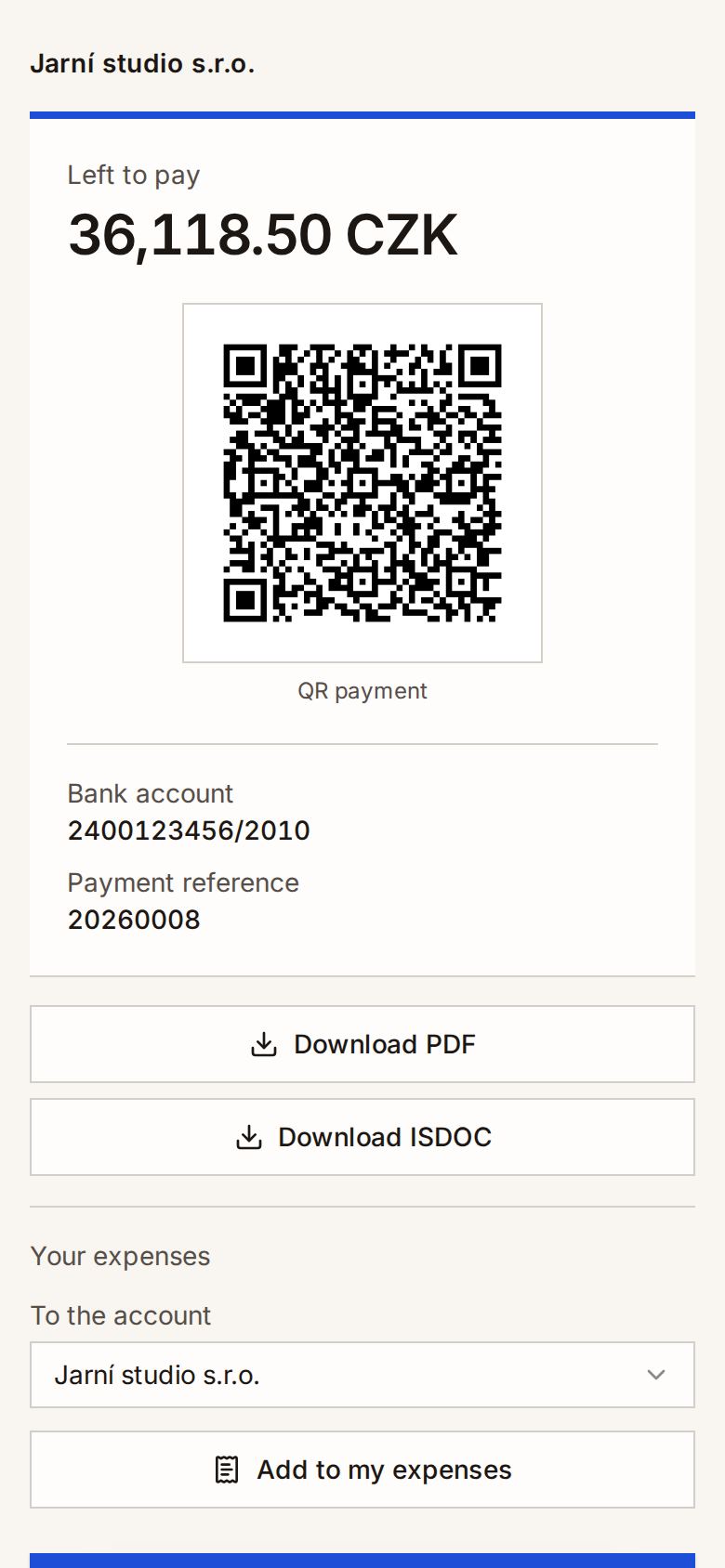
- A QR payment on domestic invoices paid by bank transfer
- A PDF and an ISDOC file for every issued invoice
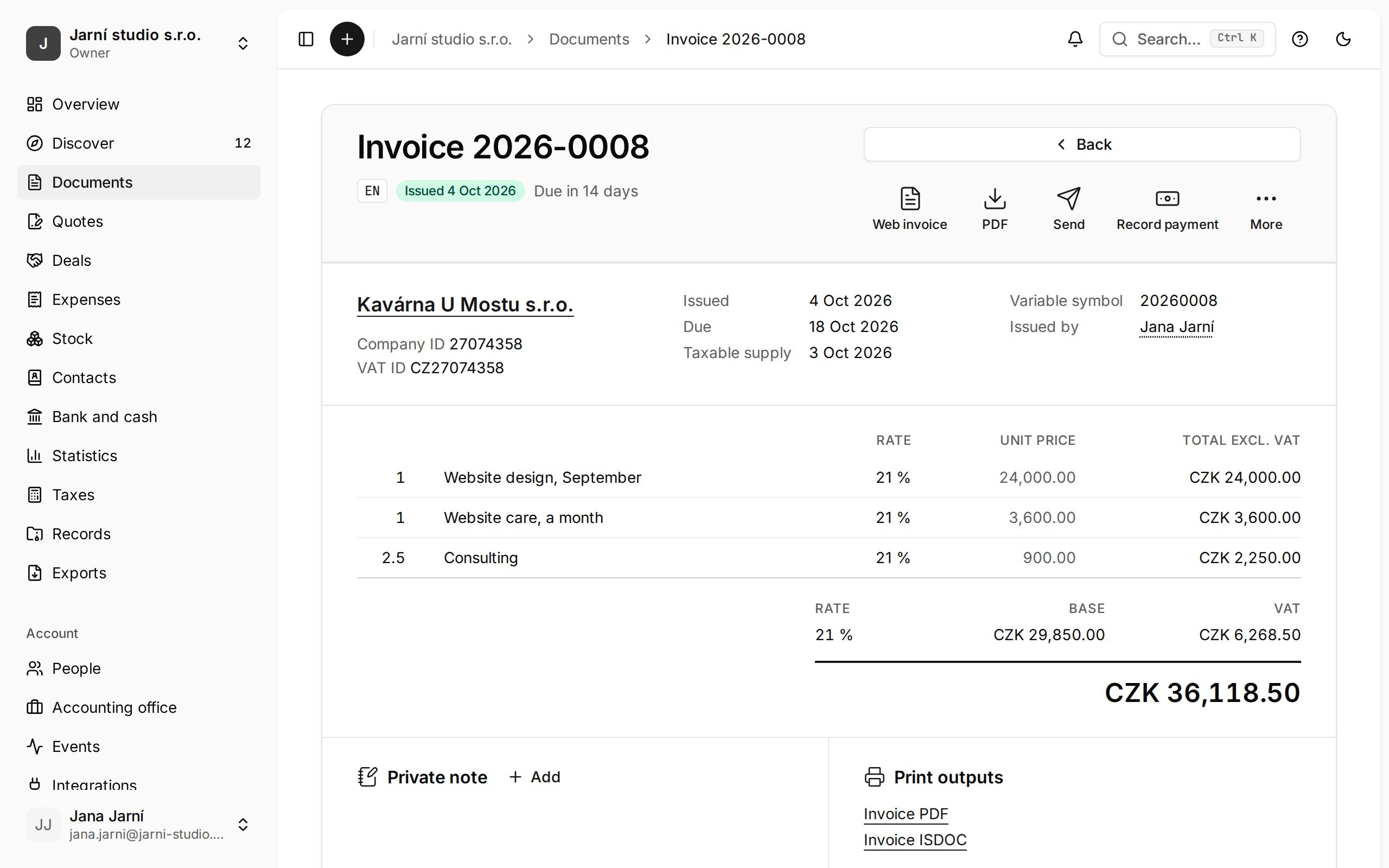
Built for Czech invoicing
- VAT as the law counts it
- QR Platba and PAY by square
- ISDOC for accounting software
- ARES, VIES and the VAT payer register
- An API with OAuth 2 and webhooks
Everything an invoice needs, and nothing it does not.
These are the real application's screens; only the data is made up.
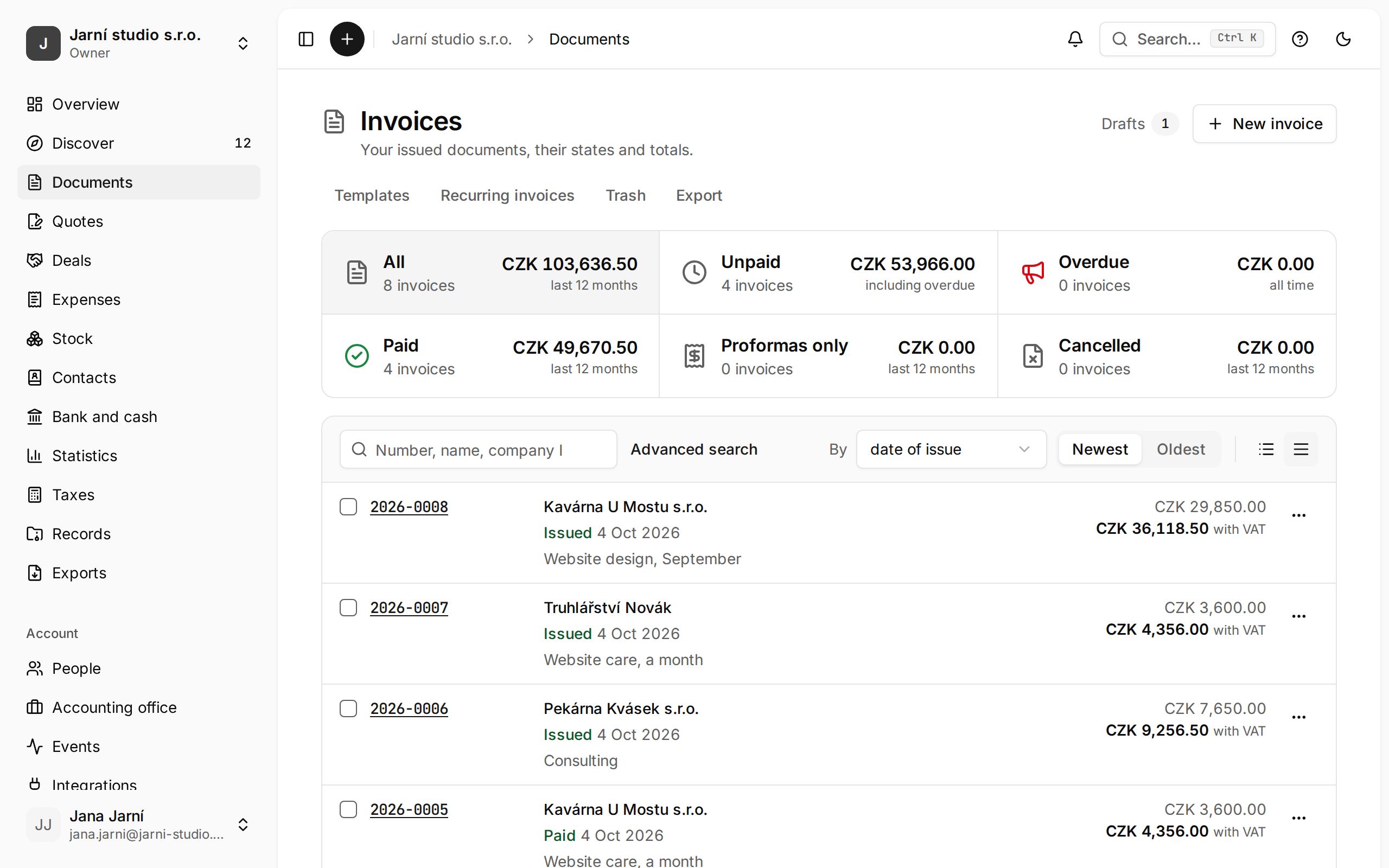
Every invoice at a glance
What is issued, paid and overdue, and the state of every invoice.
A web invoice with a QR payment
Your customer opens the invoice from the e-mail, pays a domestic one by its QR code, and you see that they saw it.
Every document you issue
Invoices, proformas with their follow-ups, tax documents for payments, corrective tax documents and settlement invoices. An issued document never changes.
VAT the way the law counts it
Payer, non-payer or identified person, reverse charge, OSS, prices with or without VAT, and rounding per line to the cent.
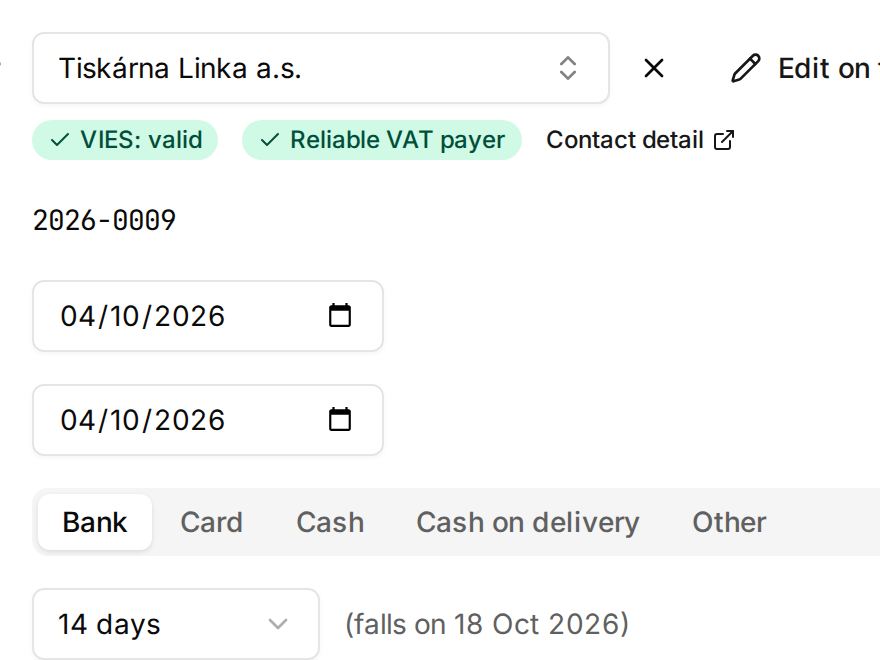
Customers checked as you type
A company ID is enough: ARES fills in the name and address, VIES and the unreliable-payer register check the VAT ID.
Foreign currencies
The ČNB rate for the date of the taxable supply, and the VAT recap in Czech crowns.
An API for your own systems
OAuth 2, webhooks with retries, and the same API our own products use.
Your team and your accountant
Roles by what each person does: owner, write and read, read only and accountant. Two-factor sign-in, and several companies under one sign-in.
From a company ID to a paid invoice
Create an account
Type your company ID and the registry fills in your billing details.
Add a customer
By company ID from ARES, with the VAT ID checked in VIES.
Issue the invoice
The series assigns its number with no gaps, VAT is counted per line, and you get the PDF and the ISDOC file.
Send it and follow it
The invoice goes out by e-mail with a link to its web invoice, and you record the payment on the document.
Plans and prices
The prices shown are those of the country you are visiting from, for buying as a business or as a consumer.
Questions and answers
The answers come from the help centre, which also has the steps.
How many companies can one account have?
One account holds one set of billing details: one company, one company ID. The registry fills in the rest.
The whole guide: Create an accountHow are invoice numbers assigned?
A number is given when a document is issued, from the series of its type, with no gaps. Drafts have no number.
The whole guide: Number seriesHow does my customer get the invoice?
Every issued invoice has its own page your customer opens from the e-mail.
The whole guide: The web invoiceCan I change an issued invoice?
A VAT payer’s issued invoice never changes. A corrective tax document records the difference.
The whole guide: Corrective documentCan I move over from Fakturoid or iDoklad?
Bring documents and contacts over from Fakturoid, from iDoklad or from another account of this service.
The whole guide: Import and migrationHow do I get my data out?
The whole account in one ZIP: every record, each issued document as PDF and ISDOC, and every file.
The whole guide: Export all data
Your next invoice can go out today.
Sign up, type your company ID, add a customer and issue.
Create a free account